
You've accepted a care shift, but the agency has one final question: can it verify your DBS status without starting the whole process again? If your DBS Update Service account is active, the answer may be straightforward. If you've missed the registration window, selected the wrong check type, or allowed the subscription to lapse, onboarding can stop while you apply for another check.
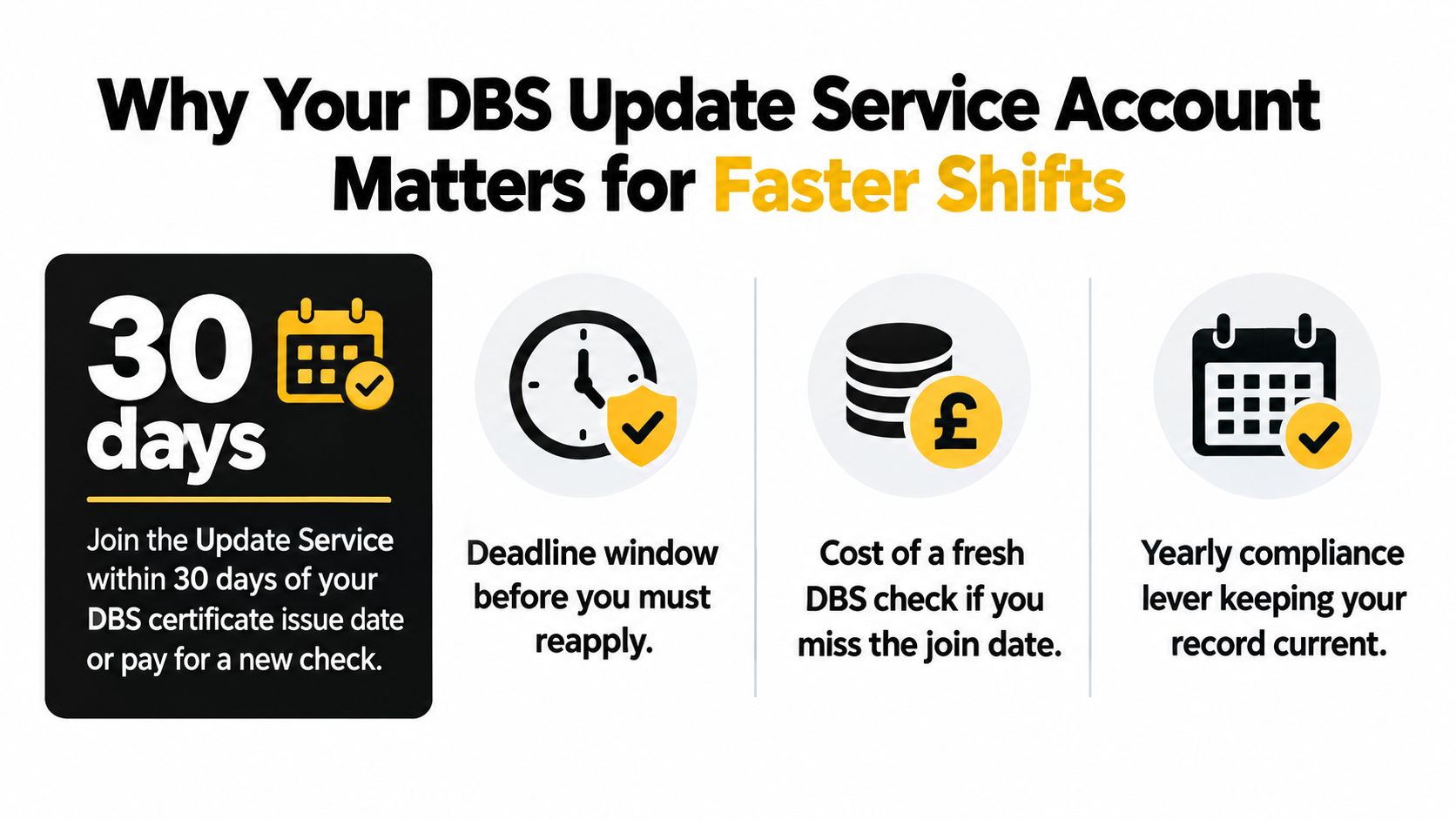
The important deadline is simple. You must join the Update Service within 30 days of your DBS certificate being issued, and the subscription costs £16 per year, with no charge for volunteers, according to the official DBS Update Service guidance. The service is available for Standard and Enhanced checks in England and Wales, not Basic checks.
Table of Contents
- Why Your DBS Update Service Account Matters for Faster Shifts
- What to Prepare Before You Start the Sign-Up
- Registering Your DBS Update Service Account Step by Step
- How Employers Check Your DBS Update Service Account
- Common Mistakes That Break Your DBS Update Service Account
- Connecting Your DBS Update Service Account to Faster Care Onboarding
Why Your DBS Update Service Account Matters for Faster Shifts
A care agency can be ready to offer you shifts, then pause onboarding while it confirms your DBS position. A live DBS Update Service account helps prevent that delay when your existing certificate is eligible for reuse and the new role requires the same level and workforce type.
Treat the service as a yearly compliance control. It supports repeated status checks when you move between domiciliary care, supported living, residential care and agency employers. It does not guarantee acceptance. Each employer must decide whether the certificate suits the role and follow its safeguarding process.
Your deadline starts on the certificate issue date. You have 30 days to join, as set out in the DBS Update Service employer guide. Miss that window and you cannot add the certificate later. You will need another eligible DBS check before you can restore this form of portability.
Why care workers should act immediately
Once your account is active, an employer can request a free online status check with your consent, provided it is legally entitled to request that level of check. That can shorten recruitment for a comparable care role because the employer can check whether the certificate details have changed.
The check is not a substitute for reviewing the original certificate. The employer must confirm the certificate information, assess its relevance to the position and apply its own recruitment and safeguarding policy.
Register as soon as the certificate arrives, then save your registration evidence with your job documents. Set a reminder for the annual renewal so the account does not lapse while you are working or applying for shifts.
Prepare your other onboarding evidence at the same time. Agencies may also automate right to work checks, so keep your identity and work-eligibility documents ready alongside your DBS records.
What to Prepare Before You Start the Sign-Up
Don't begin registration while your certificate is in another room or your personal details are uncertain. The portal needs information that matches the DBS record, and a rushed entry can send you back to the beginning while the deadline continues to run.
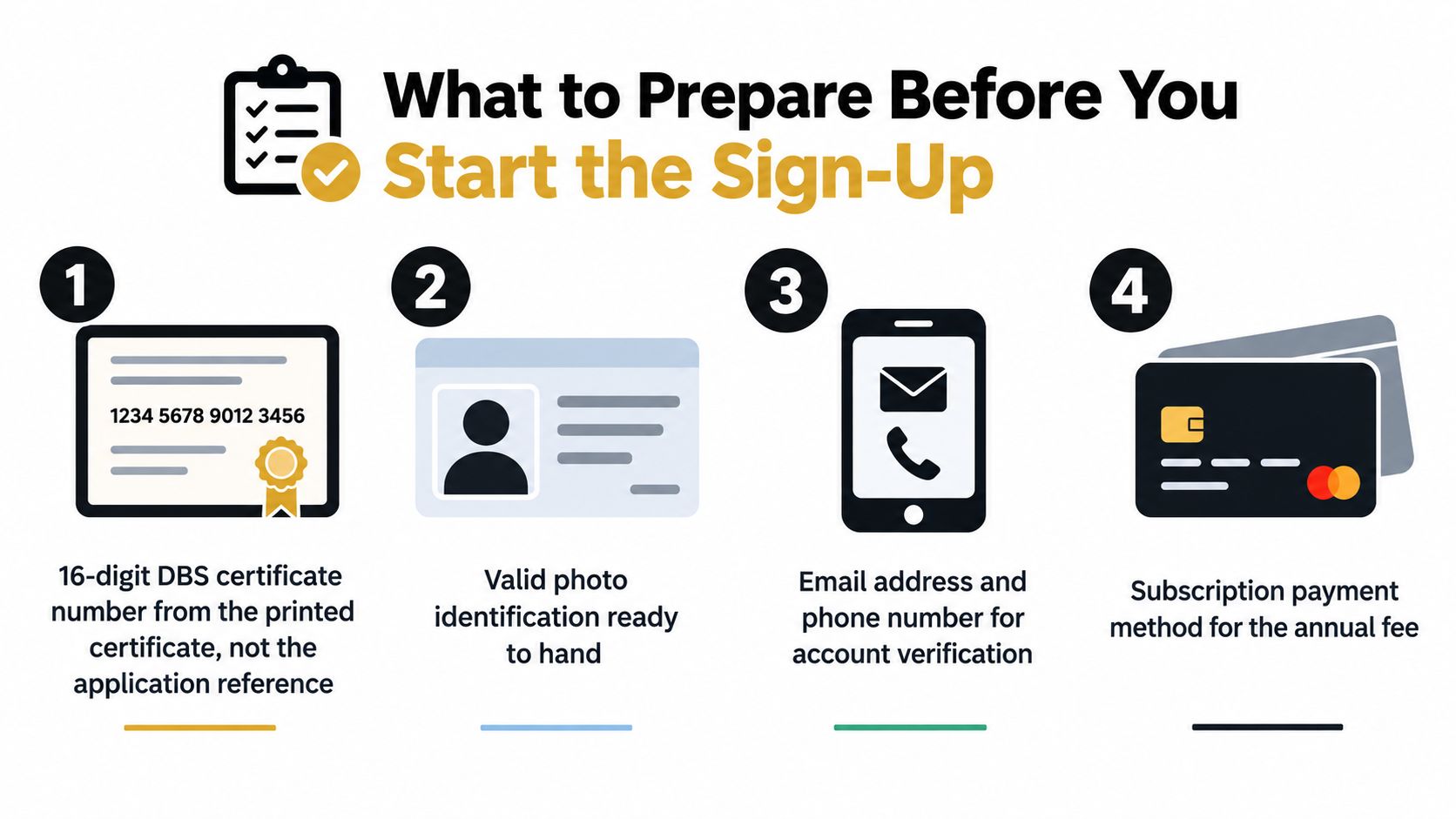
Start with the printed certificate. You need the 16-digit DBS certificate number, not the application reference. Keep the document beside you and copy the number carefully, including any letters shown in the certificate number.
Your preparation checklist
- Certificate details: Use the number printed on the certificate, not an earlier application identifier.
- Personal information: Have your full name, date of birth and relevant address details exactly as they appeared during the DBS application.
- Contact details: Use an email address and phone number you actively monitor. Account recovery and renewal information must reach you.
- Payment: Keep a debit or credit card available for the annual subscription.
- Identity documents: Have valid photo identification ready in case you need to confirm your identity during related onboarding checks.
- Deadline check: Confirm the certificate's issue date and make sure you're still inside the 30-day joining period.
Your address information deserves particular attention. If you're unsure which document can support your current address for an employer's wider verification process, consult this practical guide to proof of address in the UK.
Use a second device or print a copy of the certificate if possible. Portals can time out, and switching between screens increases the chance of copying the wrong digit. Registration is easier when you can check each field against the original document without relying on memory.
Registering Your DBS Update Service Account Step by Step
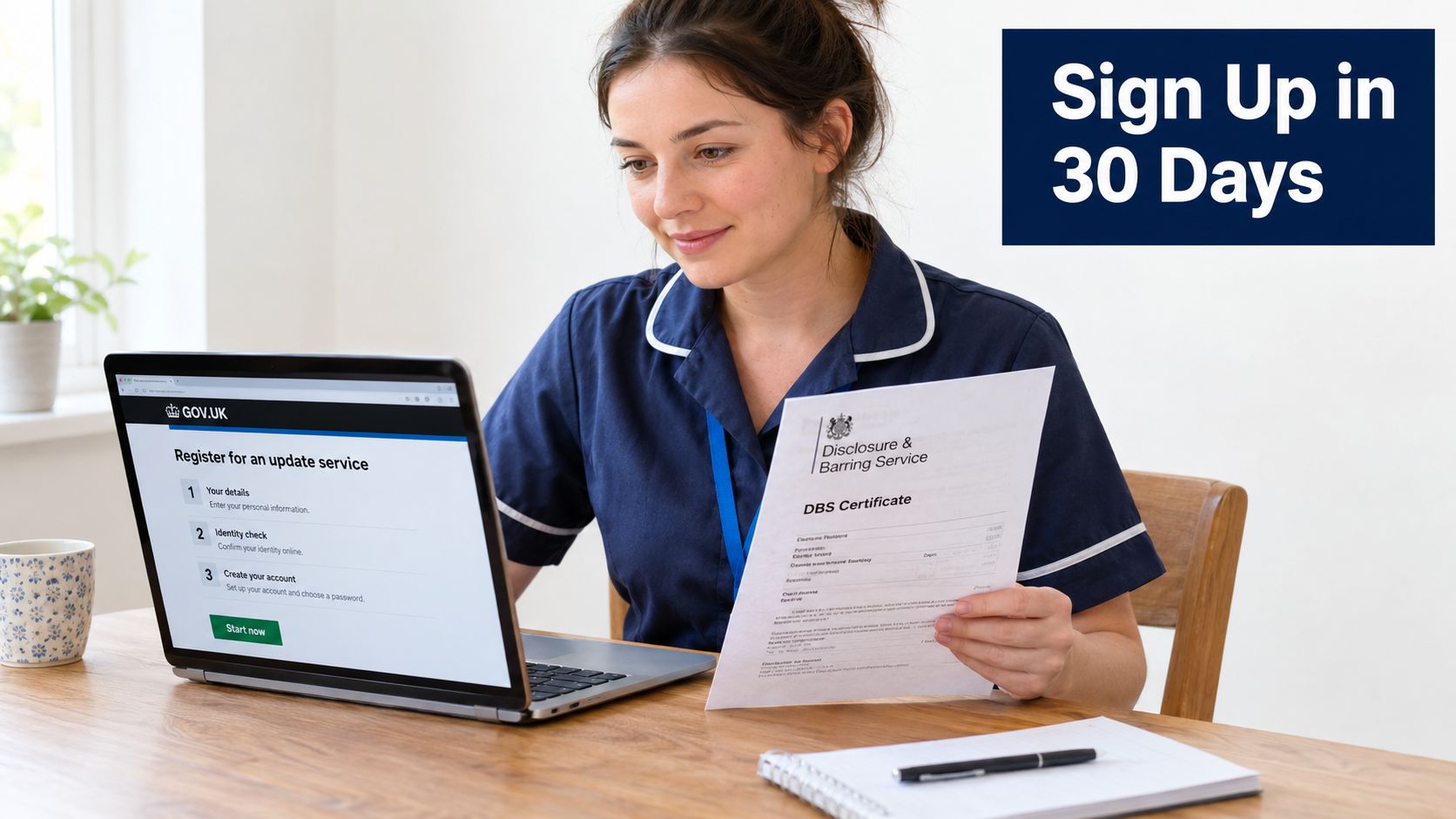
Your onboarding can stall over one incorrect character. Use the official DBS Update Service registration page, not a third-party form. Select the certificate route that matches yours: Standard, Enhanced, or Enhanced with Barred Lists. Basic DBS checks are not supported.
Register within the 30-day joining window. The service treats this as a firm deadline, so a failed submission does not give you extra time. Keep the certificate open while you enter its number, including every letter, digit and suffix. Check the entry before submitting.
Your personal details must match the DBS record. Confirm your full name, date of birth and the address information linked to the original application. Do not shorten your name or replace the original application details with your current address just because it is easier to remember.
The decision that affects employer checks
Read the consent wording carefully and give permission for employers to run status checks when required. A care provider needs your consent and must have the legal right to request the relevant disclosure level. Unclear permission can send your application back to you, adding avoidable delay.
Pay the subscription by card. Then save the account ID and confirmation, take a screenshot, and store them securely with your certificate. Your account belongs to you. Do not give an employer or agency control of it. For a care-specific explanation of portability and verification, read the Cura Academy guide to how the DBS Update Service works.
Do this before leaving the page: Save the account information, confirmation evidence and certificate number in a secure folder you can access during recruitment.
Registration does not create a new DBS certificate. It connects an eligible certificate to your personal subscription, allowing authorised employers to check its status online. The nine-month employer rule also matters: an employer must start the relevant application process within that period for the certificate to remain connected through the Update Service. The role must still require the same check type and level. Treat the subscription as a yearly compliance control, not a one-off onboarding task.
How Employers Check Your DBS Update Service Account
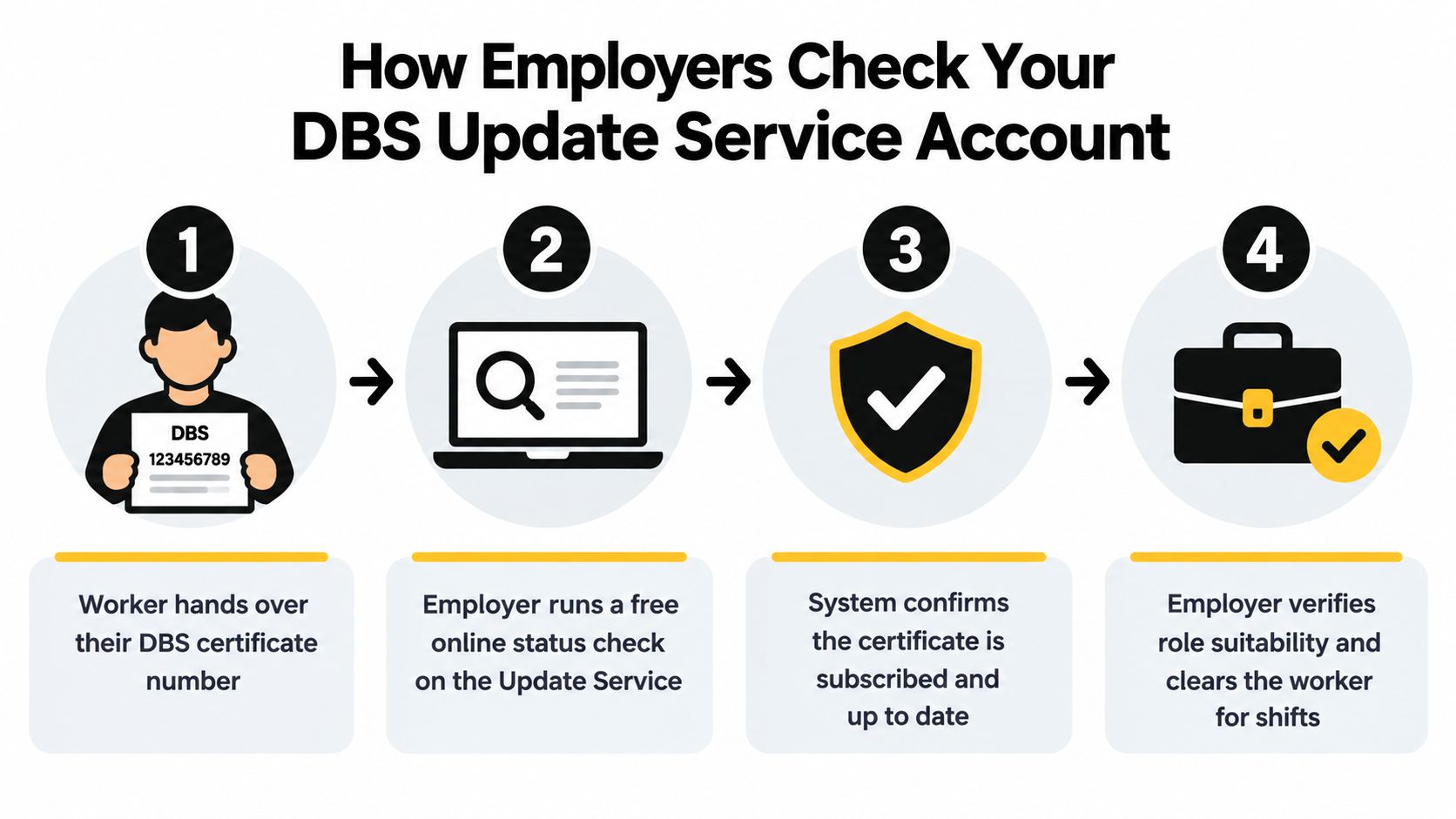
The employer process is more controlled than many candidates realise. You give the recruiter your certificate details and consent, then the employer carries out a free online status check. The employer doesn't need to pay a registration fee for that check, but it must have your permission and legal entitlement to request the relevant level of DBS check, as explained in the official employer guide.
The employer should first see your original DBS certificate. It then compares the certificate details with the online result and considers whether the check type and level meet the requirements of the role. A status result supports the decision, but it doesn't remove the provider's responsibility to assess suitability.
What the status result tells the recruiter
The check shows the position at the time it's made. The Update Service isn't continuous monitoring, and DBS doesn't prescribe how often an employer must run a check. A provider should therefore follow a consistent internal policy rather than assume that one result covers every future placement.
The modern employer guidance also states that non-conviction information is searched every 9 months, as described in the official DBS Update Service promotional material. That rule matters because a status check isn't a general search of every possible record at every moment.
You should keep evidence of the consent you gave. Recruitment teams often collect permission in onboarding paperwork, so retain a copy if you can. Share your certificate number through the employer's secure recruitment channel, not a public message or an informal social media post.
Responding to a mismatch
A mismatch doesn't automatically mean you've done anything wrong. It may indicate that the employer's required check type differs from the certificate linked to your account, or that the details entered during the search don't match.
Check the certificate number, your name and the role's required level with the recruiter. If the role needs a different check type or level, the existing subscription may not solve that employer's requirement. The guide to checking DBS Update Service status can help you understand what the employer is verifying.
The following video provides a visual explanation of the service and its employer-side use:
Common Mistakes That Break Your DBS Update Service Account
A care worker can lose days during onboarding through three preventable choices: selecting the wrong check type, missing the yearly renewal window, or entering details that do not match the certificate. The problem may stay hidden until a recruiter attempts a status check, so fix these points before accepting a new role.
Choosing the wrong check type
The Update Service does not cover Basic DBS checks. It applies to Standard, Enhanced and Enhanced with Barred Lists certificates. The employer must also be legally entitled to request the level required for that role.
Do not assume one certificate suits every care position. Domiciliary care, supported living and agency work can have different checking requirements. Ask the employer which check type and level it needs before relying on an existing certificate. If the requirement differs, your account may not resolve the onboarding issue.
Letting the subscription lapse
The subscription runs for one year. You can renew it up to 30 days before expiry, but the final day is too late. If the subscription expires, the old one cannot be reactivated. You will need a new DBS check and must register again.
Set the expiry date in your calendar as soon as you join. Create a reminder before the renewal window opens, then act early. This matters particularly for agency workers, who may need to prove their status to a new recruitment team while a placement is being arranged.
Treat the account as a yearly compliance control, not a one-off sign-up. The 30-day renewal window is the point at which your next year of checks stays available.
Entering details incorrectly
A wrong certificate number, misspelled name or inconsistent personal detail can stop an employer matching your account. Giving a recruiter the wrong certificate number creates the same delay.
Run a private audit before onboarding:
- Certificate match: Compare the number in your secure records with the printed certificate.
- Personal details: Check the account against the certificate and your identity documents.
- Expiry control: Record the renewal date and act within the permitted renewal period.
- Employer trail: Note which employers received your consent and when they checked your status.
Keep control of the account yourself. An employer, agency or training provider should not manage it for you. Protect your login details and provide only the information required for a legitimate check. These small controls decide whether verification takes days or turns into weeks of avoidable follow-up.
Connecting Your DBS Update Service Account to Faster Care Onboarding
A DBS subscription is one part of a care worker's compliance file. It doesn't replace right-to-work evidence, references, mandatory training, identity checks or occupational health requirements. Employers need the full set before they can place you safely on shift.
Build one secure digital folder with your DBS certificate and Update Service details, training certificates, renewal dates, reference information and right-to-work documents. This avoids scattered email attachments and lets you answer a recruiter's request without searching through old messages.
Build a shift-readiness file
Keep the following information current:
- DBS evidence: Store the original certificate details, account information and renewal date.
- Training records: Track Moving and Handling, Safeguarding Adults and Basic Life Support certificates, including their individual expiry dates.
- References: Keep contact details for two professional referees and confirm that they're willing to respond.
- Right to work: Save the documents and share them through the employer's approved verification process.
- Health information: Complete occupational health forms promptly where the provider requires them.
Training can be the overlooked blocker. A live DBS account won't help if your mandatory certificates are missing or out of date. A structured platform such as Cura Academy brings care training, Care Certificate standards and role-specific learning into one membership pathway, while you still need to confirm that each employer accepts the training and applies its own compliance criteria.
Some agencies use a mobile-first onboarding tool to collect documents and approvals from a worker's phone. Whether your recruiter uses software, email or an applicant portal, your responsibility is the same. Submit clear, current evidence and answer verification requests quickly.
Shift-ready means complete, not nearly complete. A DBS account, training record, references and right-to-work documents should work together as one organised file.
Before accepting a shift, check that your DBS certificate is linked and suitable for the role, your mandatory training is current, your references are confirmed and your right-to-work evidence is saved. This approach won't override an employer's checks, but it prevents avoidable chasing and gives recruiters what they need to make a decision.
Act today if your certificate was issued recently. Find the original document, confirm the check type, register within the 30-day window, save your confirmation and put the renewal date in your calendar. Then organise your wider care compliance file through Cura Academy, where you can access care training and role-specific courses designed to support job-ready onboarding.